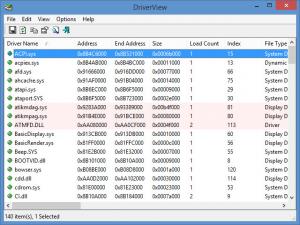
DriverView 1.40
Updated on 13 Mar 2012
By Anthony Buckner
By Anthony Buckner
Specifications
License:
Freeware (Free)
Updated:
Downloads:
1483
Platform:
Windows (All Versions)
Publisher:
NirSoft(more)
Website:
User Reviews:
Other versions:
1.21, 1.12, 1.11
Do you like
DriverView?
DriverView?
FindMySoft Editor's Review
DriverView – Tool that Displays All Device Drivers
The Nir Sofer-developed application DriverView serves a simple enough purpose: it presents you with a list of device drivers that are currently loaded on your Windows operating system. Useful information is displayed for each driver in the list, info like load address of the driver, description, version, product name, and company that created the driver.
That is all there is to say about the application’s functionality – so we will focus on some technical bits and pieces. To start using the DriverView application, you have to get it off the web and onto your computer. The good news is that the download weighs in at some 35KB. Even on a quite lousy internet connection, the download should take very little time to complete.
What you are downloading is a zipped archive. What you have to do now is extract its contents and run the DriverView EXE. Once you do so, the DriverView will be up and running. That’s right, this app does not have to be installed to work. And since it doesn’t have to be installed, it also means the app is portable. You can put it on a portable storage device, like an USB stick, and take it with you.
DriverView works with all versions of the Microsoft-developed Windows operating system. It works with the old but popular Windows XP, it works with the much avoided Windows Vista, and it works with the latest and greatest, Windows 7. Speaking of working, it must be said that you can use DriverView free of charge for as long as you want without paying a dime in return since the app is freeware.
Pros
Cons
About NirSoft
Nir Sofer is an experienced software developer with extensive knowledge in C++, .NET Framework, Windows API, and Reverse Engineering of undocumented binary formats and encryption algorithms. This software developer offers a collection of useful utilities for Windows users on NirSoft, a site launched back in 2001.
The name of the site is a combo between the developer’s name “Nir” and a part of the word “software” (Nir + software = NirSoft). You can visit Nir Sofer’s NirSoft site here.
That is all there is to say about the application’s functionality – so we will focus on some technical bits and pieces. To start using the DriverView application, you have to get it off the web and onto your computer. The good news is that the download weighs in at some 35KB. Even on a quite lousy internet connection, the download should take very little time to complete.
What you are downloading is a zipped archive. What you have to do now is extract its contents and run the DriverView EXE. Once you do so, the DriverView will be up and running. That’s right, this app does not have to be installed to work. And since it doesn’t have to be installed, it also means the app is portable. You can put it on a portable storage device, like an USB stick, and take it with you.
DriverView works with all versions of the Microsoft-developed Windows operating system. It works with the old but popular Windows XP, it works with the much avoided Windows Vista, and it works with the latest and greatest, Windows 7. Speaking of working, it must be said that you can use DriverView free of charge for as long as you want without paying a dime in return since the app is freeware.
Pros
- Lightweight download size
- Doesn’t have to be installed (portable)
- Works with all Windows versions
- Freeware
Cons
- None that I could think of
About NirSoft
Nir Sofer is an experienced software developer with extensive knowledge in C++, .NET Framework, Windows API, and Reverse Engineering of undocumented binary formats and encryption algorithms. This software developer offers a collection of useful utilities for Windows users on NirSoft, a site launched back in 2001.
The name of the site is a combo between the developer’s name “Nir” and a part of the word “software” (Nir + software = NirSoft). You can visit Nir Sofer’s NirSoft site here.
Do you like DriverView
Advertising
Popular News
The soon to be released Samsung Galaxy S3 is shaping up to be an event bigger commercial success than its predecessor, the Samsung Galaxy S2
Linux fans once again have the chance to take part in the annual Linux Foundation T-Shirt Design Contest, now in its 3rd edition
DriverView Awards
DriverView Editor's Review Rating
DriverView has been reviewed by George Norman on
11 Aug 2010. Based on the user interface, features and complexity, Findmysoft has rated
DriverView
4
out of 5 stars, naming it ExcellentYour Rating
Top Downloads
2.
Opera5.
Trillian8.
AIM9.
Skype10.
Ad-Aware12.
Nero13.
Google Earth14.
Picasa15.
Winamp16.
iTunes17.
RealPlayer18.
uTorrent19.
eMule20.
WinRAR21.
BitComet22.
WinZip23.
Shareaza24.
CCleaner25.
Recuva26.
Tweak UI27.
CuteFTP Home29.
Adobe Reader30.
NewsPiperBecome A Fan!
Link To Us!
DriverView
HTML Linking Code
HTML Linking Code
Latest Reviews



